
Welcome to FlashySurf v2.0 :D
The ultimate study tool where you study anything without ever studying. Create custom flashcard collections for any subject, or use our proven SAT system. This comprehensive guide will show you how to get the most out of your new study platform.
The Core Loop: How It Works
As you browse the web, a flashcard will occasionally appear. Give it your best shot, learn from the instant feedback, and then get right back to what you were doing. Here's what you'll see in action:
Correct Answer ✅
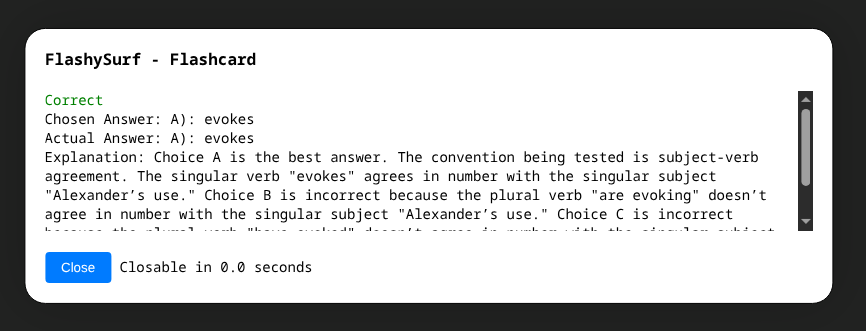
You get a green check, a brief explanation, and the card closes in 5 seconds.
Incorrect Answer ❌
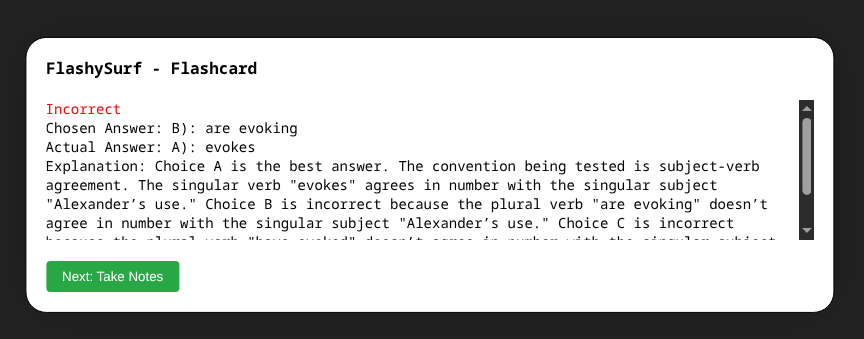
You see the right answer, a detailed explanation, and have more time (20s) to review.
Heads-up: To avoid being annoying, there's always a 3-minute delay between questions. You'll never get bombarded.
Your Secret Weapon: The Notes Feature 📝
When you get a question wrong, you'll be prompted to take notes. This is the single most important feature for boosting your score.
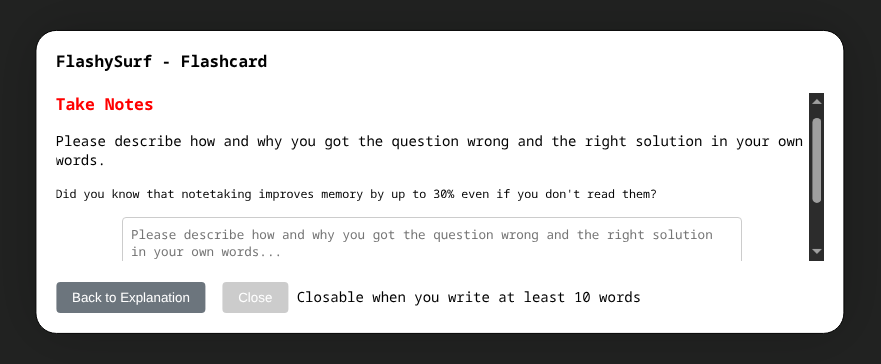
Why This Is a Game-Changer:
- It forces active learning. The magic happens when you rephrase the explanation in your own words. This builds deep understanding, not just memorization.
- Don't BS this part! Putting in the effort to write 1-2 clear sentences about why you were wrong will pay off massively.
- It builds a personalized study guide. You can review all your notes anytime in the extension popup.
Power User Tip 🚀
Before a practice and the real test, copy your notes and feed them to an AI like ChatGPT with a prompt like: "Based on these notes from my study sessions, what are my biggest weaknesses and give me 5 last-minute tips."
You're in Control: Customize Your Flow ⚙️
First, pin the extension for easy access! Click the Puzzle Piece (🧩) in your toolbar and then click the Pin (📌) next to FlashySurf.
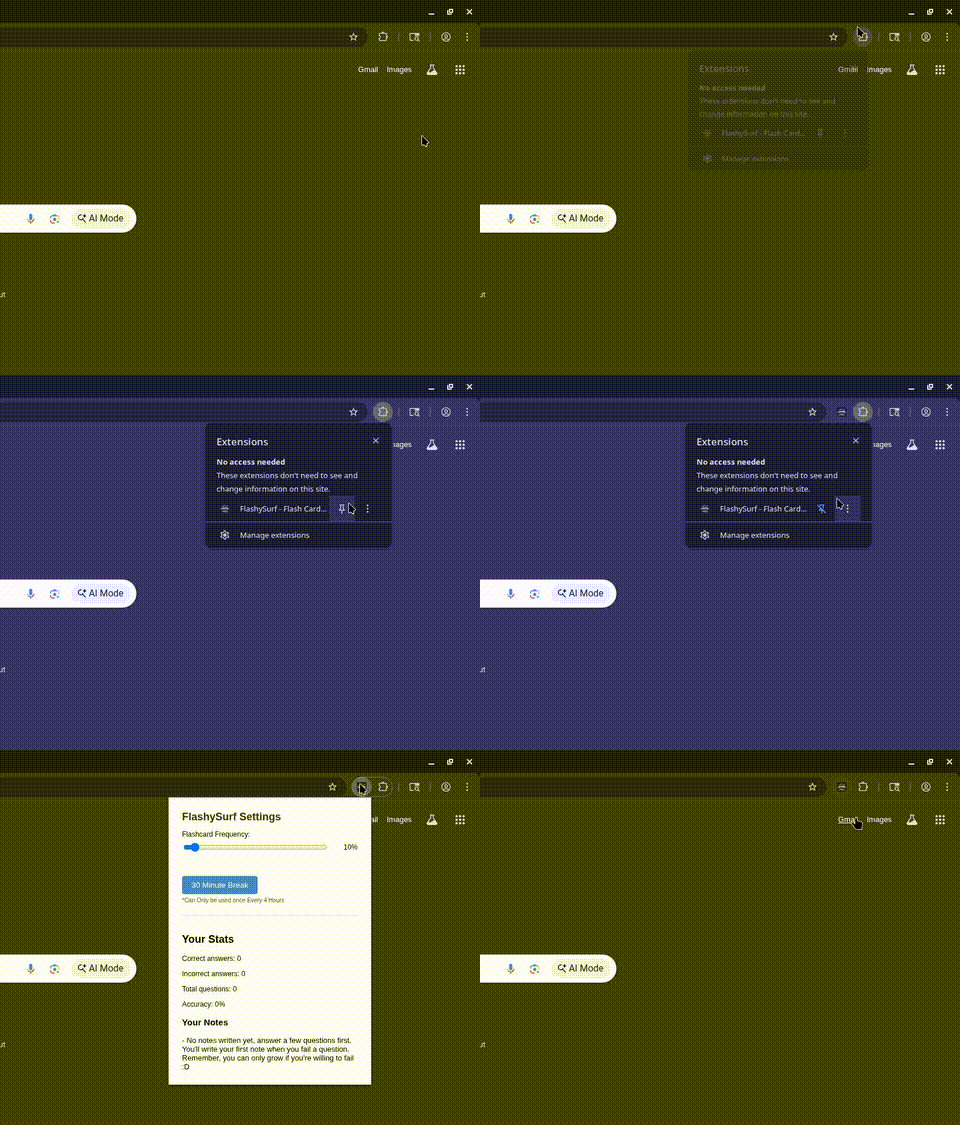
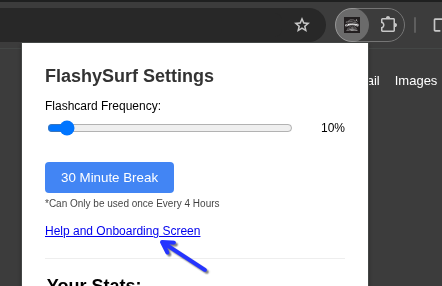
Now, click the FlashySurf icon to open the settings panel. From here, you can...
1. Adjust Flashcard Frequency
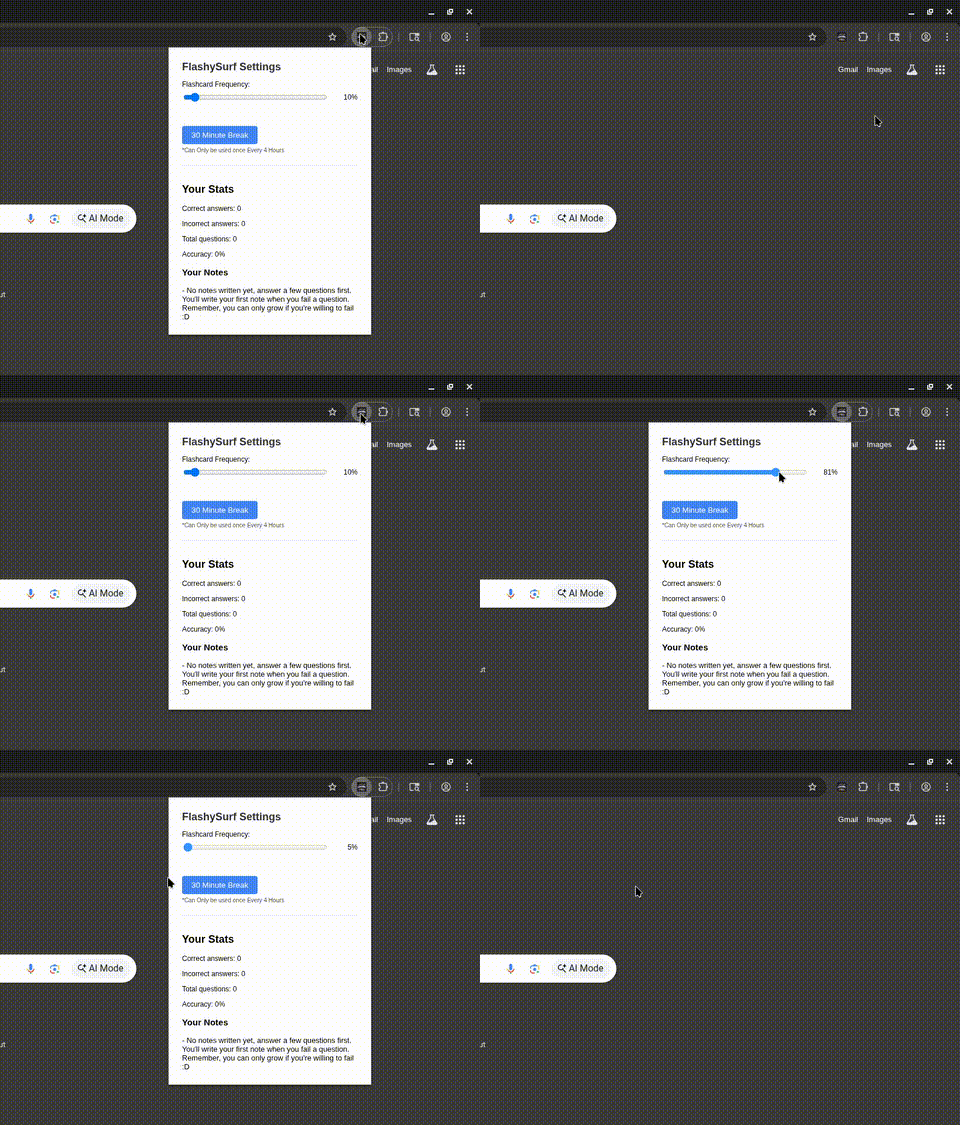
Use the slider to control how often questions appear. We recommend starting on 10%
2. Take a Break When You Need It
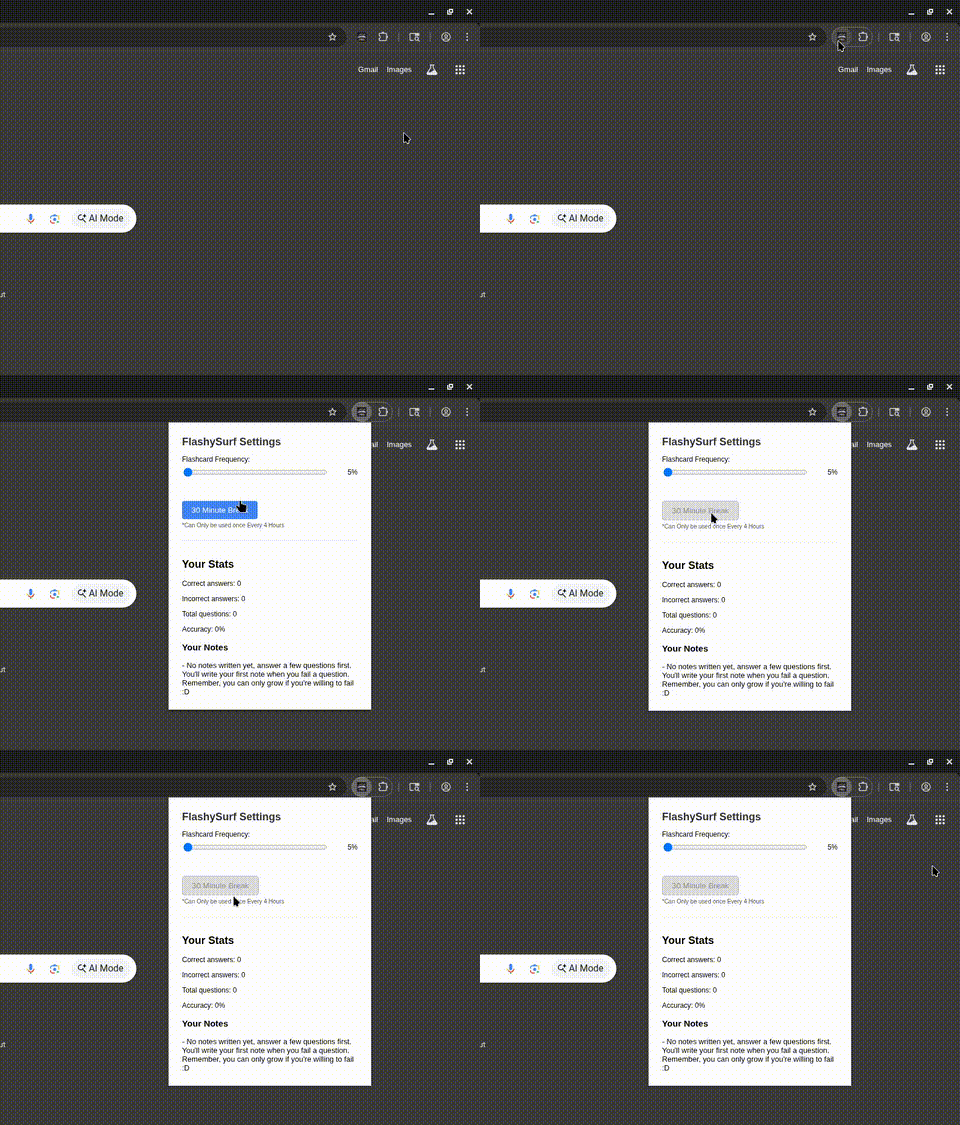
Feeling overwhelmed? Hit the break button. A short pause is always better than quitting.
Track Your Growth & Get Help with Reports 📈 (SAT Only Feature)
Once you've answered enough questions, you can generate a Personalized Performance Report. This report shows your overall accuracy and identifies your top 3 weakest topic areas.
Share it! This is designed to be shared. Post your report on SAT forums (like r/SAT), with your study group, or show it to a tutor. Getting targeted feedback from others is an incredible way to improve.
A Quick Pep Talk: Sticking With It 💪
Real talk: Someday, a flashcard will pop up at the worst possible moment. That’s normal. The users who see the biggest score increases are the ones who:
- Push through the initial frustration.
- Use the break button instead of quitting.
- Write quality notes, even when they don't feel like it.
- Trust the process. Passive learning works.
🎉 What's New in v2.0: Custom Flashcard Collections
FlashySurf v2.0 transforms from a SAT-only tool into a complete study platform. You can now create, manage, and study with custom flashcard collections for any subject while keeping all the proven passive learning features that helped students achieve 60-100 point SAT improvements.
Quick Overview 📋
You now have two options:
- Use our proven SAT system: Keep the built-in 1900+ SAT questions with advanced features like semantic clustering and weakness detection.
- Create custom collections: Study languages, science, history, or any subject with your own flashcard collections.
- Use both: Mix and match! Enable multiple collections and study everything passively.
🗂️ Managing Your Collections
Click the FlashySurf icon to open the enhanced settings panel. You'll now see all your flashcard collections with the ability to enable/disable them individually, plus powerful import/export functionality.
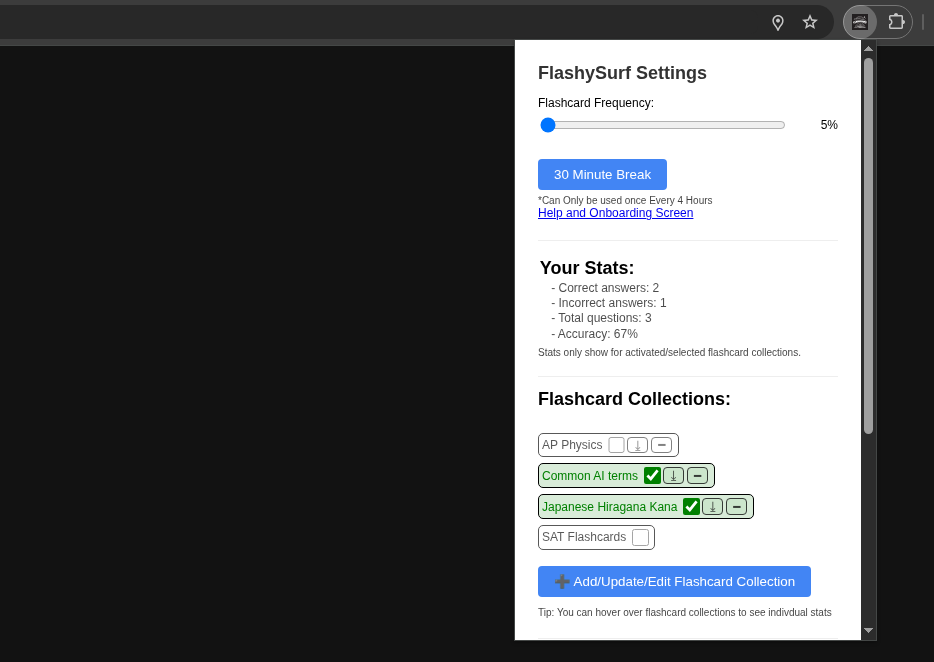
Collection Management Features:
Enable/Disable Collections
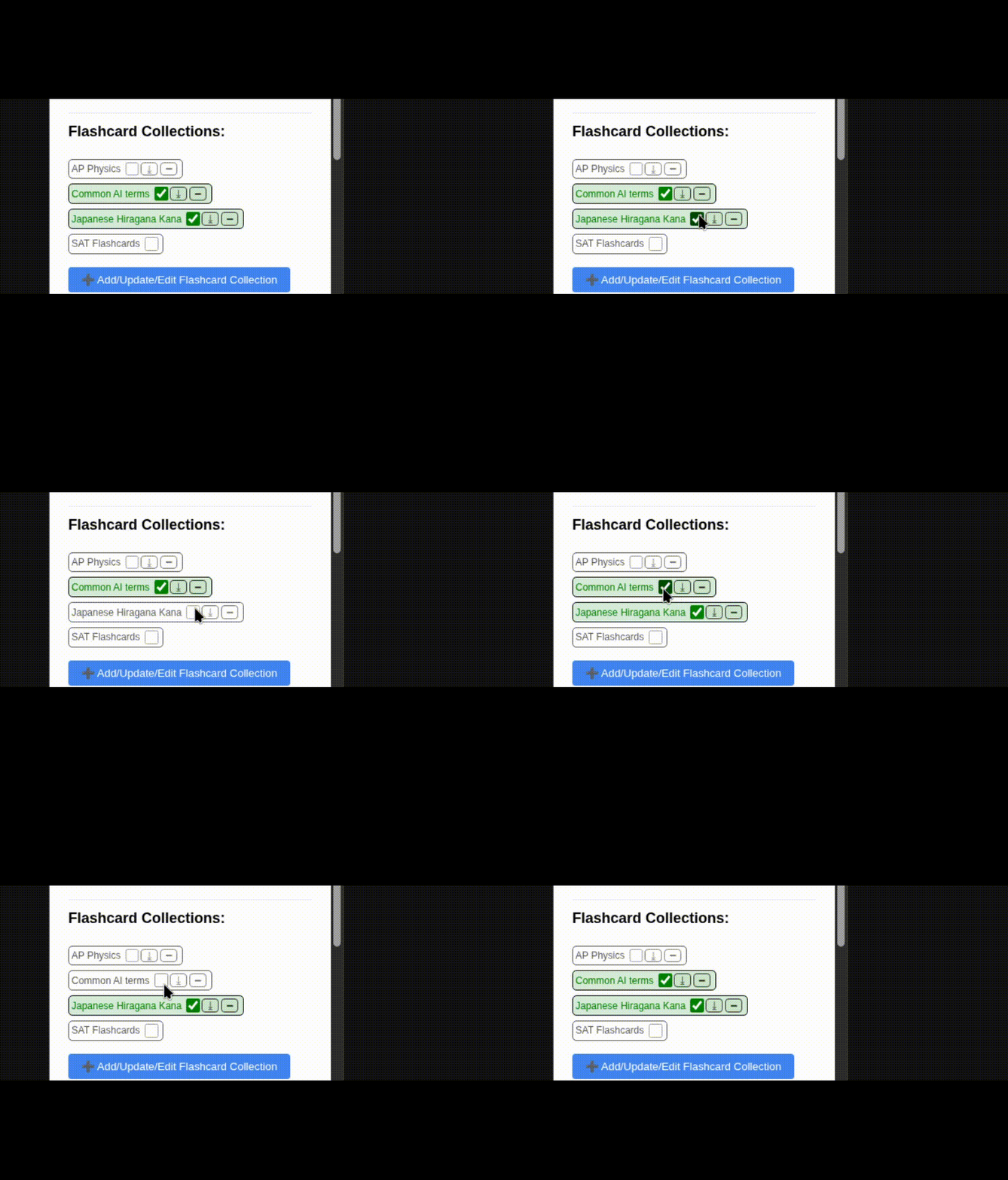
Control exactly which subjects you want to study by toggling collections on and off with checkboxes.
Import Collections
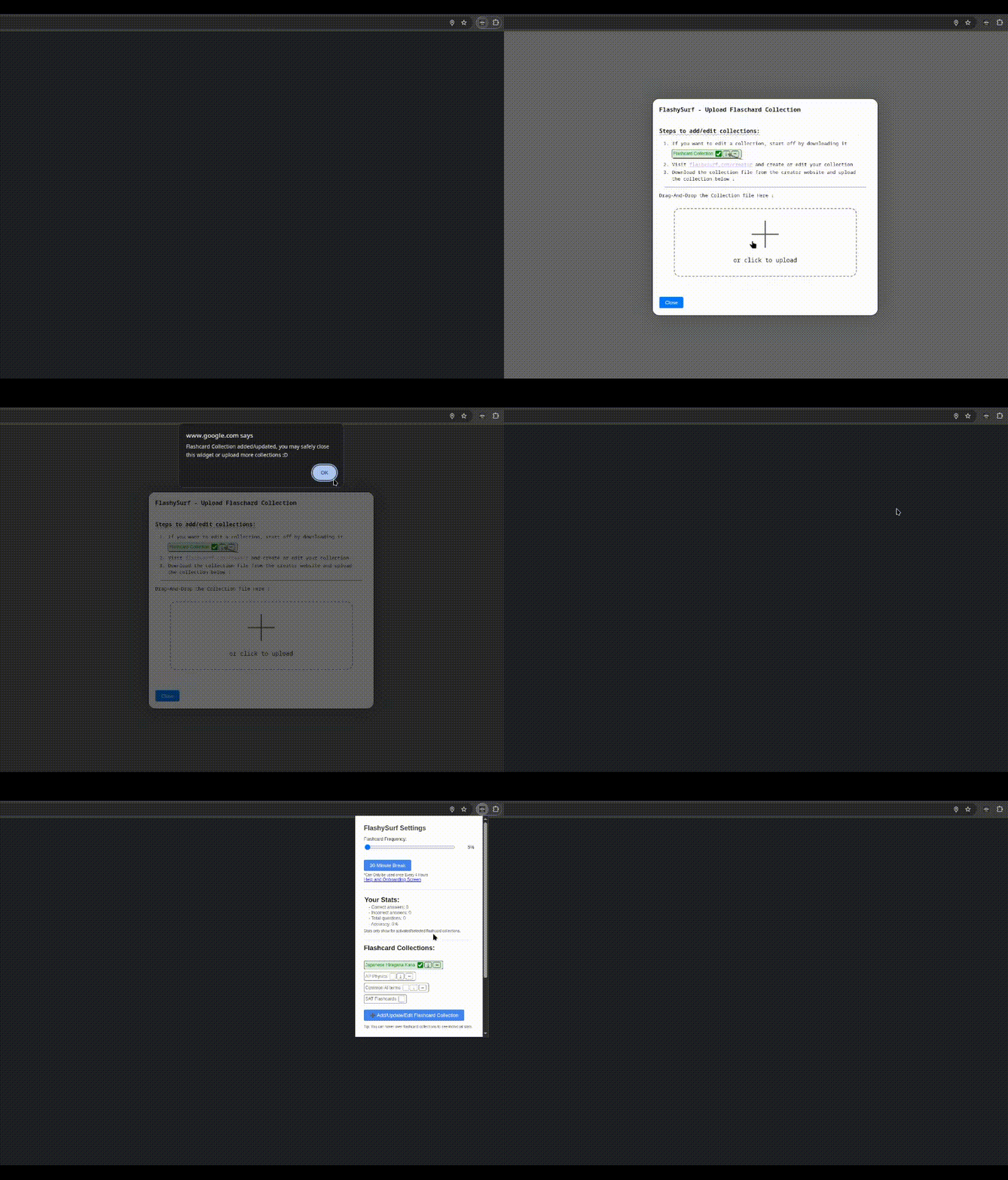
Import new collections by clicking "Add/Update/Edit Flashcard Collection" and dragging files or browsing to upload.
Download Collections
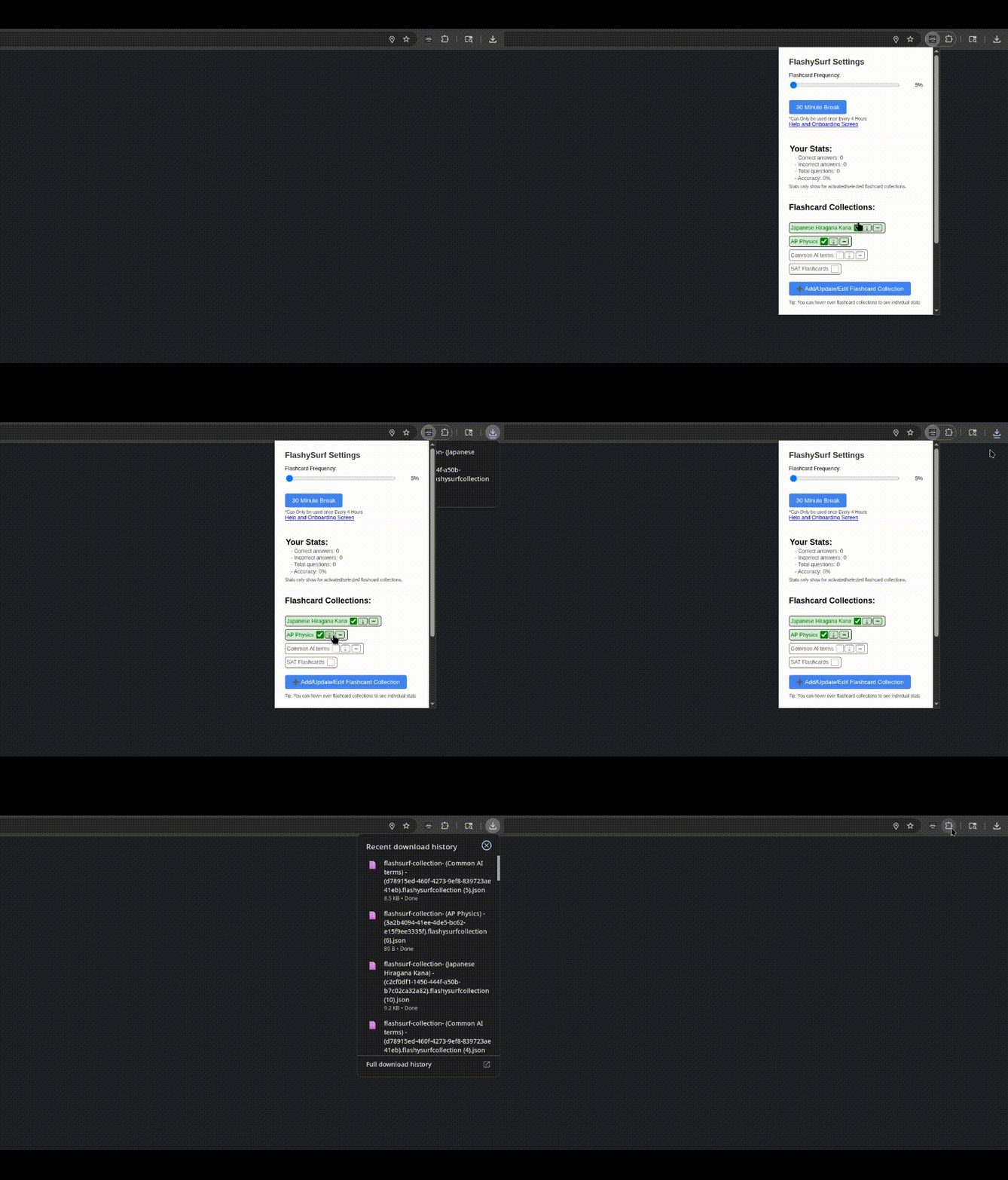
Download any collection (except built-in SAT) to backup, edit, or share. Files are saved as .flashysurfcollection.json.
Enhanced Statistics
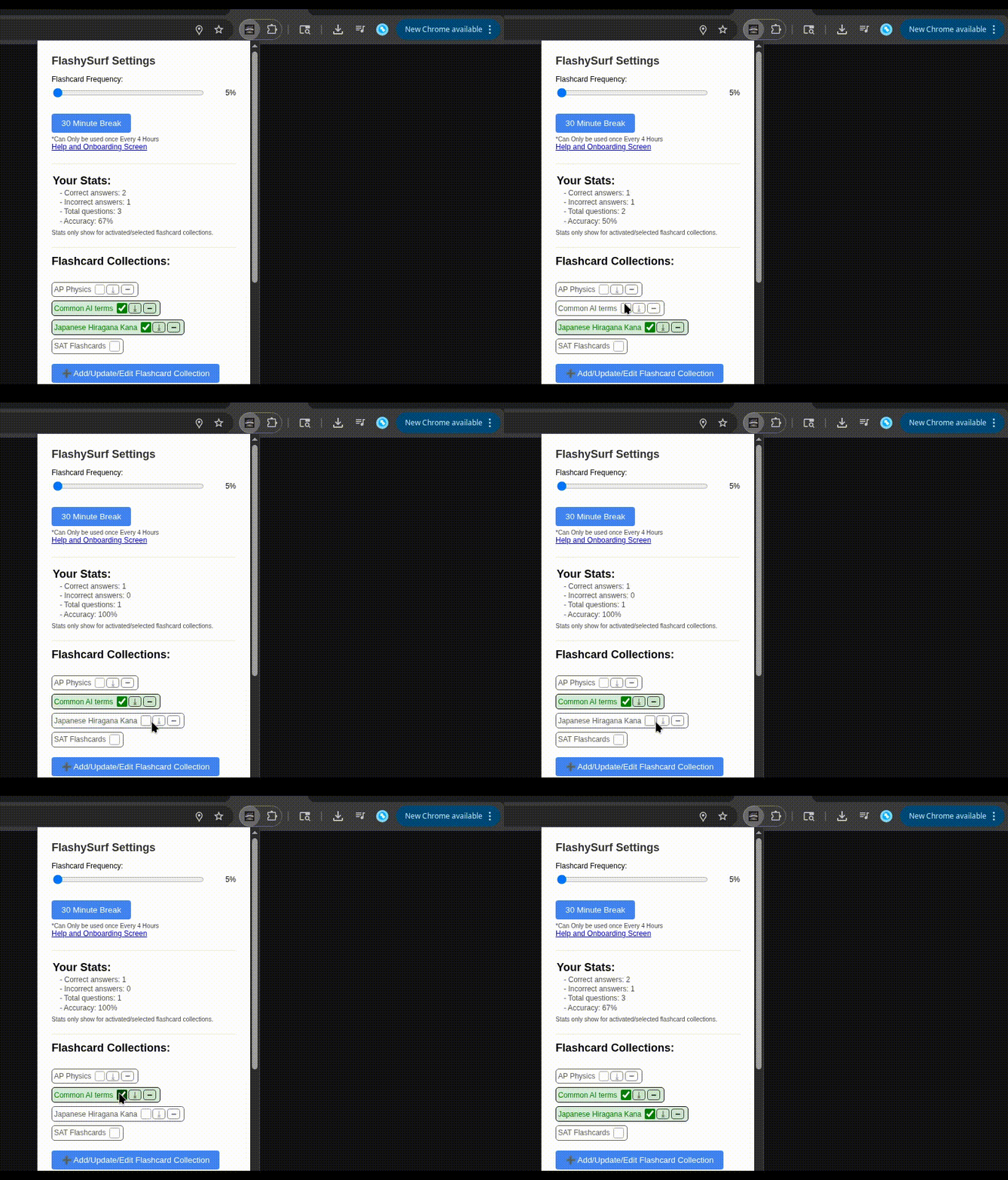
Watch your accuracy statistics update dynamically as you enable different collections. Hover over any collection to see individual stats.
Import Process Made Simple 📥
When you click "Add/Update/Edit Flashcard Collection" in the popup, you'll see a comprehensive import interface with detailed instructions and a drag-and-drop area. The system supports:
- Drag & Drop: Just drag a .flashysurfcollection.json file onto the upload area
- Click to Browse: Click the upload area to open a file browser and select your file
- Smart Updates: If you import a collection with the same ID as an existing one, you'll be asked if you want to update it
- Instant Feedback: You'll get immediate confirmation when the import is successful
- Error Handling: Clear error messages if something goes wrong with the file format
Pro Tip: The import popup also includes step-by-step instructions and a link to the collection creator tool!
🎯 Understanding the Collection Creator
The collection creator interface is powerful but straightforward. Here's how it works:
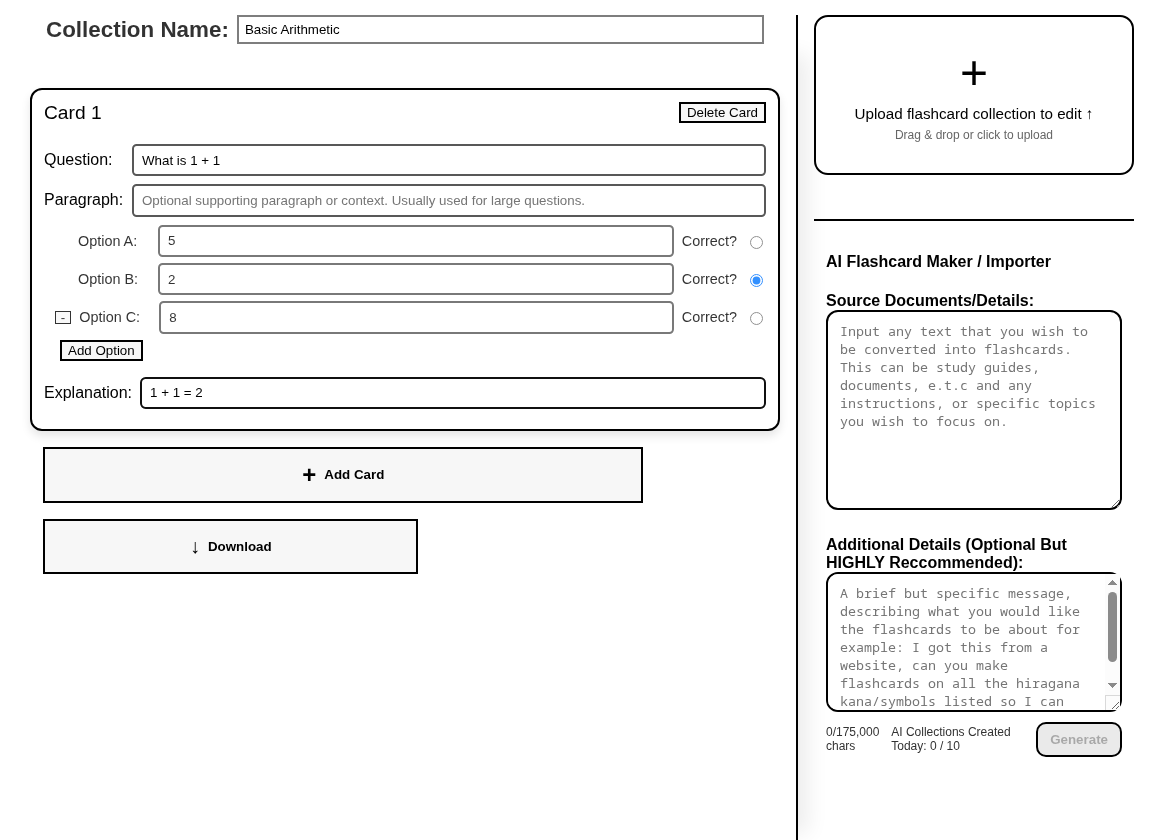
Key Components:
- Collection Name: A descriptive name for your flashcard set (max 30 characters)
- Question: The main question or prompt for each card
- Paragraph: Optional context or reading passage for complex questions
- Answer Choices: 2-4 multiple choice options (you can add/remove options dynamically)
- Correct Answer: Select the right choice using radio buttons
- Explanation: Optional but highly recommended - explains why the answer is correct
Collection Creation Best Practices 💡
- Start small: Create 10-15 cards for your first collection to test it out
- Write good explanations: These are crucial for learning, especially when you get answers wrong
- Use varied question types: Mix definitions, applications, and conceptual questions
- Test your collection: Create it, enable it, and see how it feels during browsing
✨ Creating Your First Custom Collection
Ready to study something new? You have three ways to create flashcard collections:
Method 1: Manual Creation
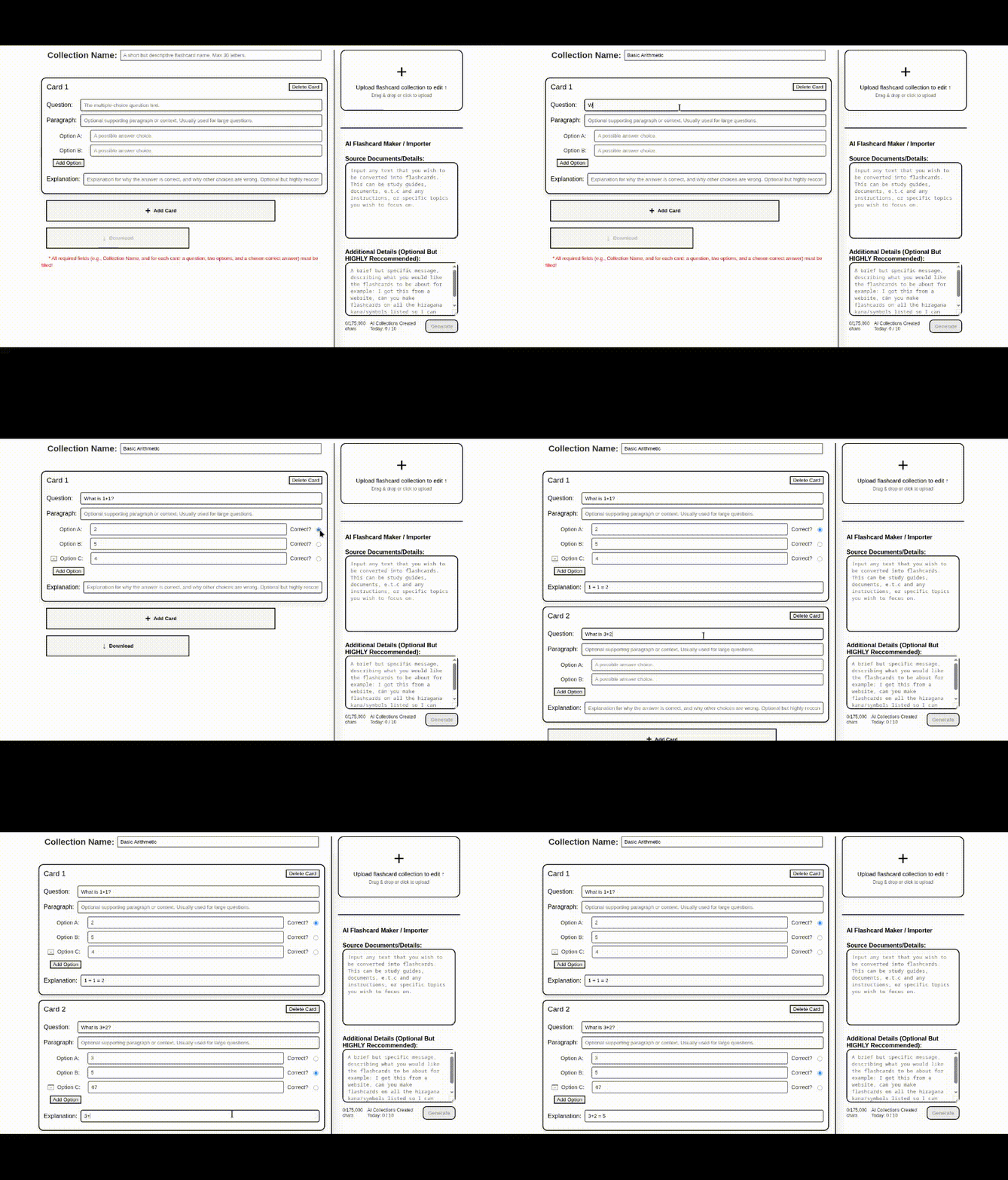
Use our intuitive interface to build flashcards one by one. Perfect for when you want complete control over your content.
Method 2: Import Existing Collections
Drag & Drop Upload
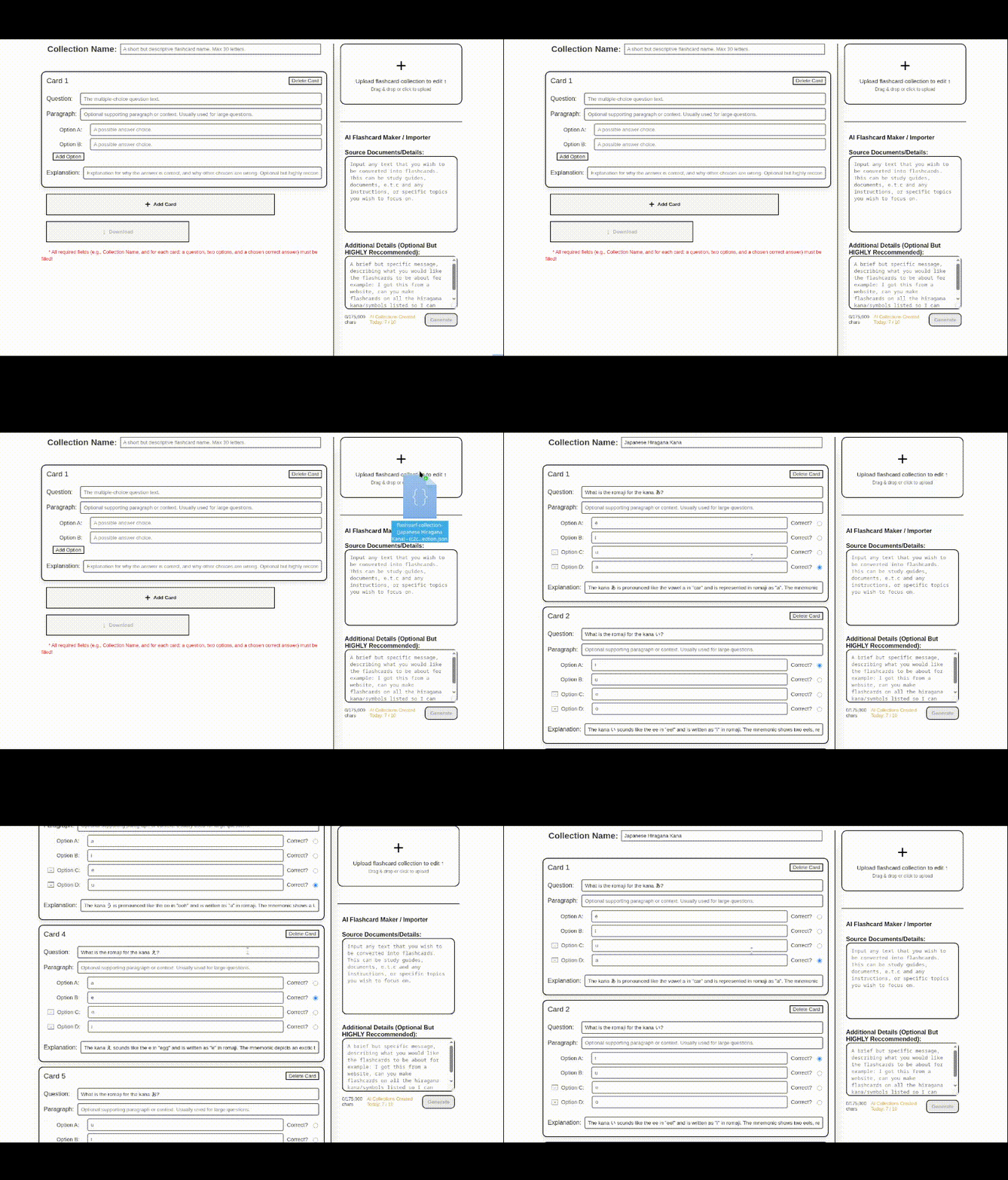
Simply drag a JSON collection file onto the upload area to instantly import it.
Export & Share
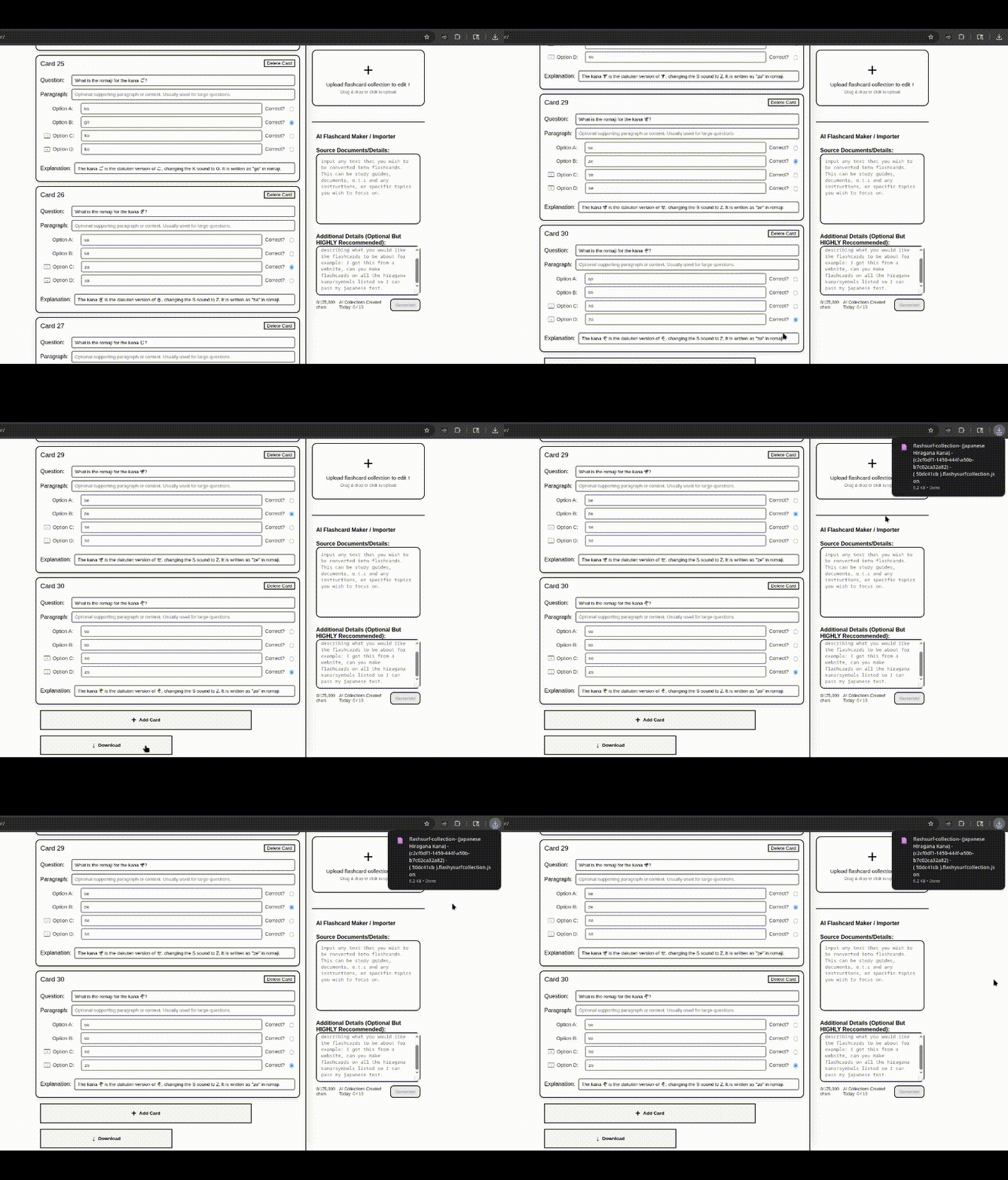
Download your collections to backup your work or share them with classmates and friends.
Method 3: AI-Powered Generation 🤖
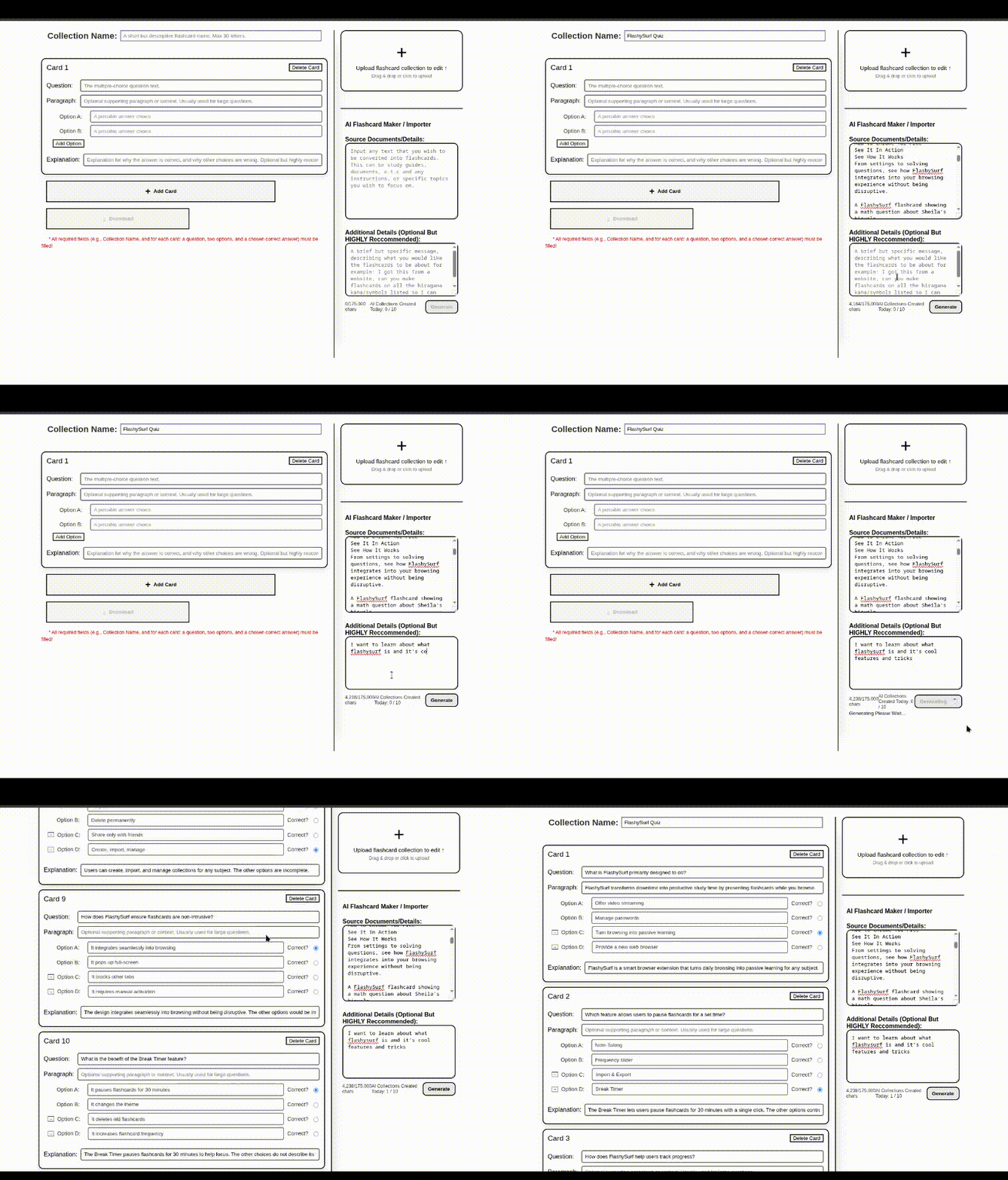
This is a game-changer! Paste any study material, notes, or textbook content into the AI generator. Add specific instructions about what you want to focus on, and our AI will automatically create a complete flashcard collection for you.
AI Generation Pro Tips 🚀
- Be specific in your instructions: Instead of just pasting text, add details like "Create flashcards focusing on vocabulary and definitions" or "Make questions about historical dates and events."
- Use quality source material: The better your input text, the better your flashcards will be.
- Daily limit: You can generate up to 10 AI collections per day to keep costs reasonable.
🧠 Advanced Features & Limitations
Important: Semantic Clustering 🤖
The advanced AI-powered weakness detection and semantic clustering (those 87 topic clusters that target your weak areas) currently only work with the built-in SAT collections. Custom collections use simpler spaced repetition without the advanced topic clustering.
We're working on bringing these advanced features to custom collections in a future update!
What Works With All Collections:
- ✅ Passive learning during browsing
- ✅ Spaced repetition (shows failed questions again)
- ✅ Note-taking on incorrect answers
- ✅ Performance tracking and statistics
- ✅ Break timer functionality
- ✅ Customizable frequency settings
SAT Collections Only (For Now):
- 🔬 87-cluster semantic topic analysis
- 🎯 AI-powered weakness detection
- 📊 Performance reports showing weakest topics
- 🧠 Advanced question selection algorithm
Need This Guide Again?
You can always find this page by clicking the "Help and Onboarding Screen" link in the FlashySurf popup.
You're ready to go! Close this tab and start surfing the web. Your first question is waiting. 🚀